Back
Background
This project was for the University of Michigan's new GPT Mi•Maizey.
Mi•Maizey is a AI platform created by the University of Michigan to help students have quicker and more personalized answers to the questions they have around campus.
The website has access to some student websites if given permission, and all university wide websites. It was created to be a personal assistant to students, and faculty, across campus.
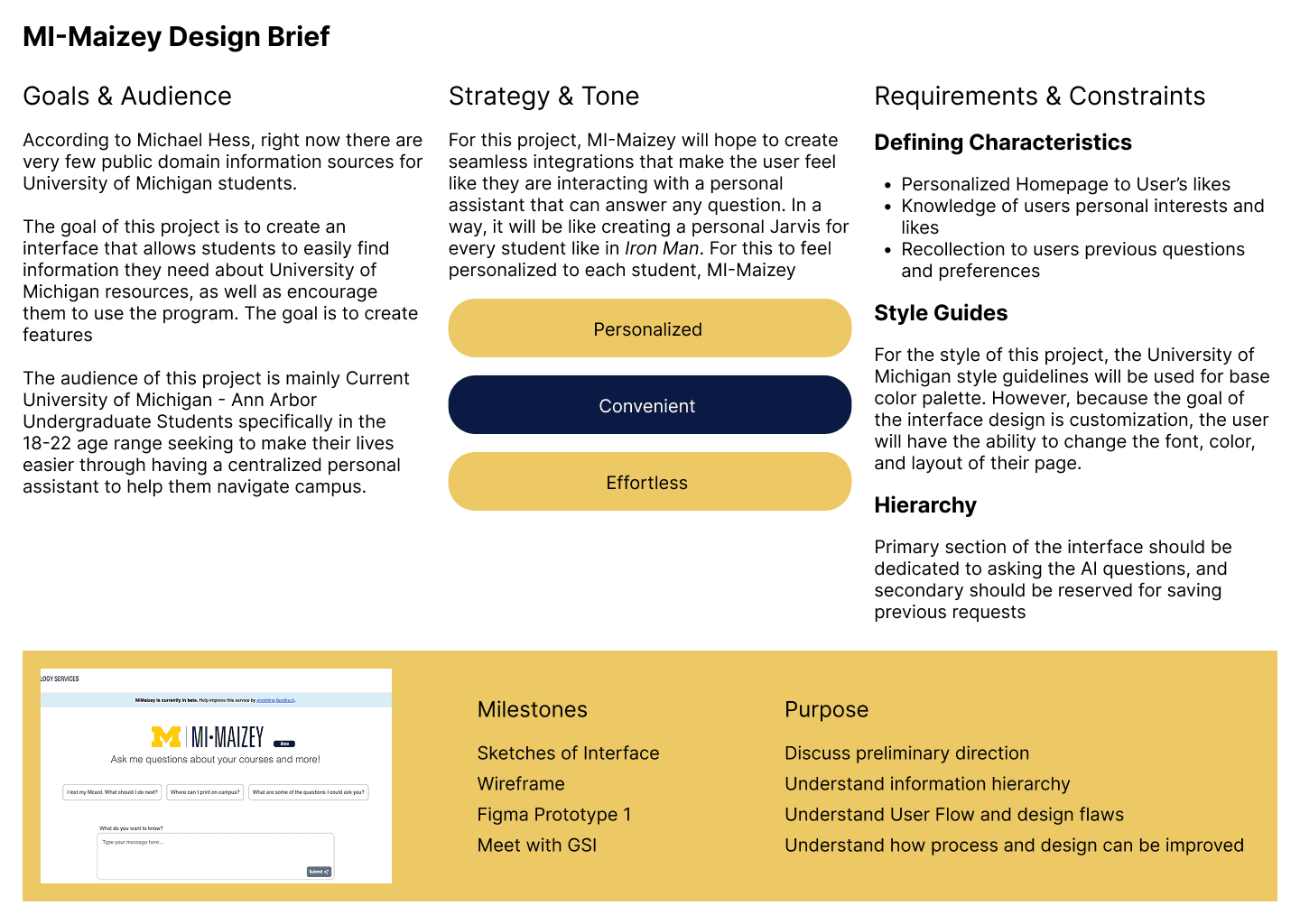
According to Michael Hess, right now there are very few public domain information sources for University of Michigan students. The result is that students rely on their peers, email, Canvas, and other university sources for information, but finding the information is difficult and often the information is not personalized. This can lead to student confusion about courses, general administration, student life, and more.
The Designs
Design Process
Design Brief
To begin this project, I first created a design brief that summarized the work that needed to be done on the interface. For this project, I discovered that the key stakeholders were the students at the University of Michigan who would be using Mi•Maizey in their everyday lives to find information on campus. Because of student's fast paced lives, I wanted to make sure that the interface was personalized, convenient, and effortless, to ensure minimal friction as they went throughout their days.
Wireframes
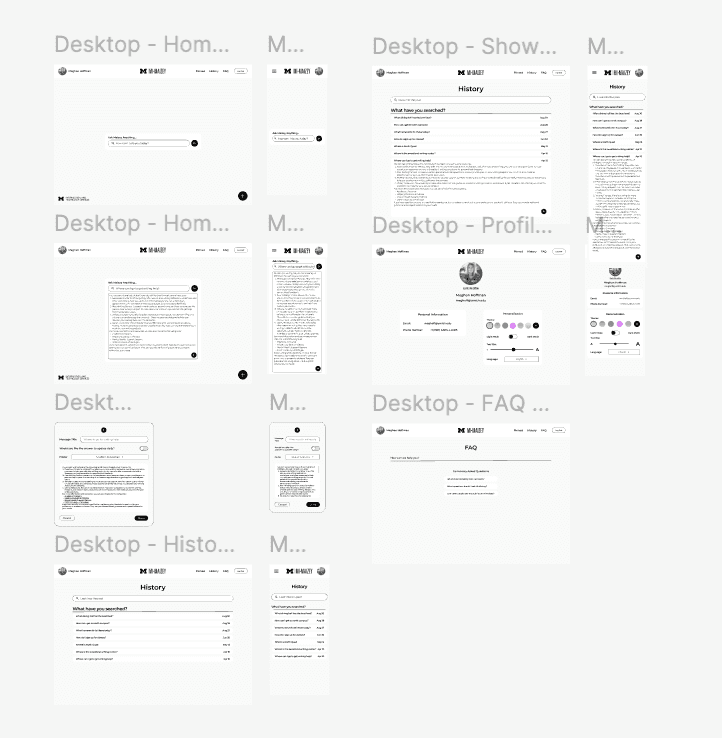
After figuring out the important design requirements, I then went on to create wireframes for the product. This resulted in 6 pages that users could use to ask questions, save answers, and personalize their viewports.
The pages that I created are as follows:
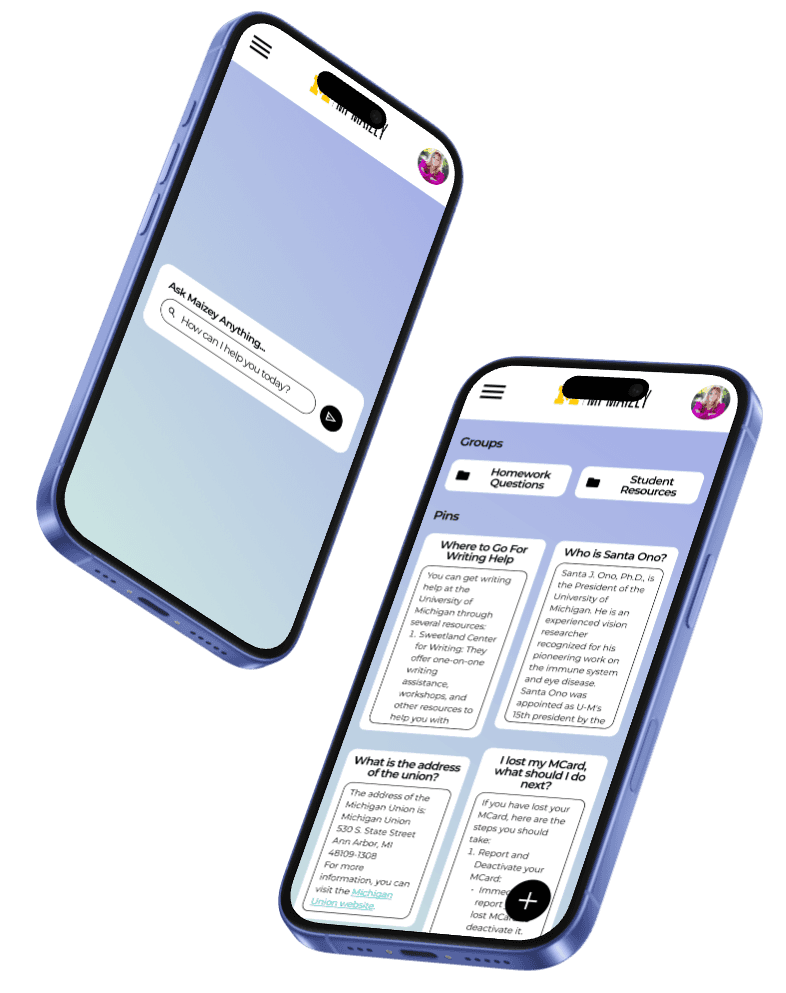
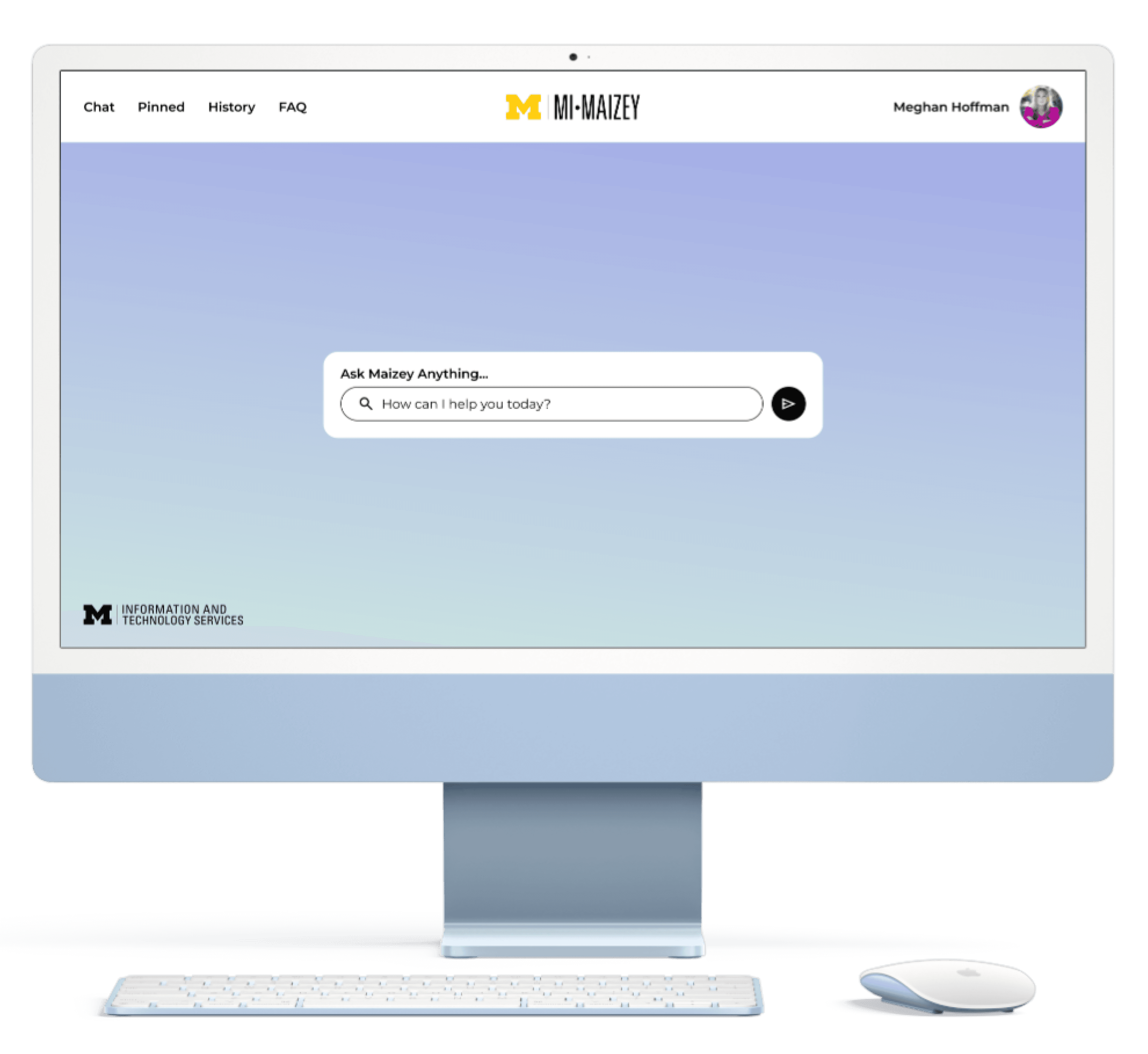
Chat Page - for users to ask Mi•Maizey the questions they have.
History Page - for users to see chats they had previously had, to go back to reference.
Profile Page - for users to keep their personal information, and also to update themes for increased customization.
Pinned Chats Page - for users to save answers that they had previously asked, with choices to update answers daily or stay as is.
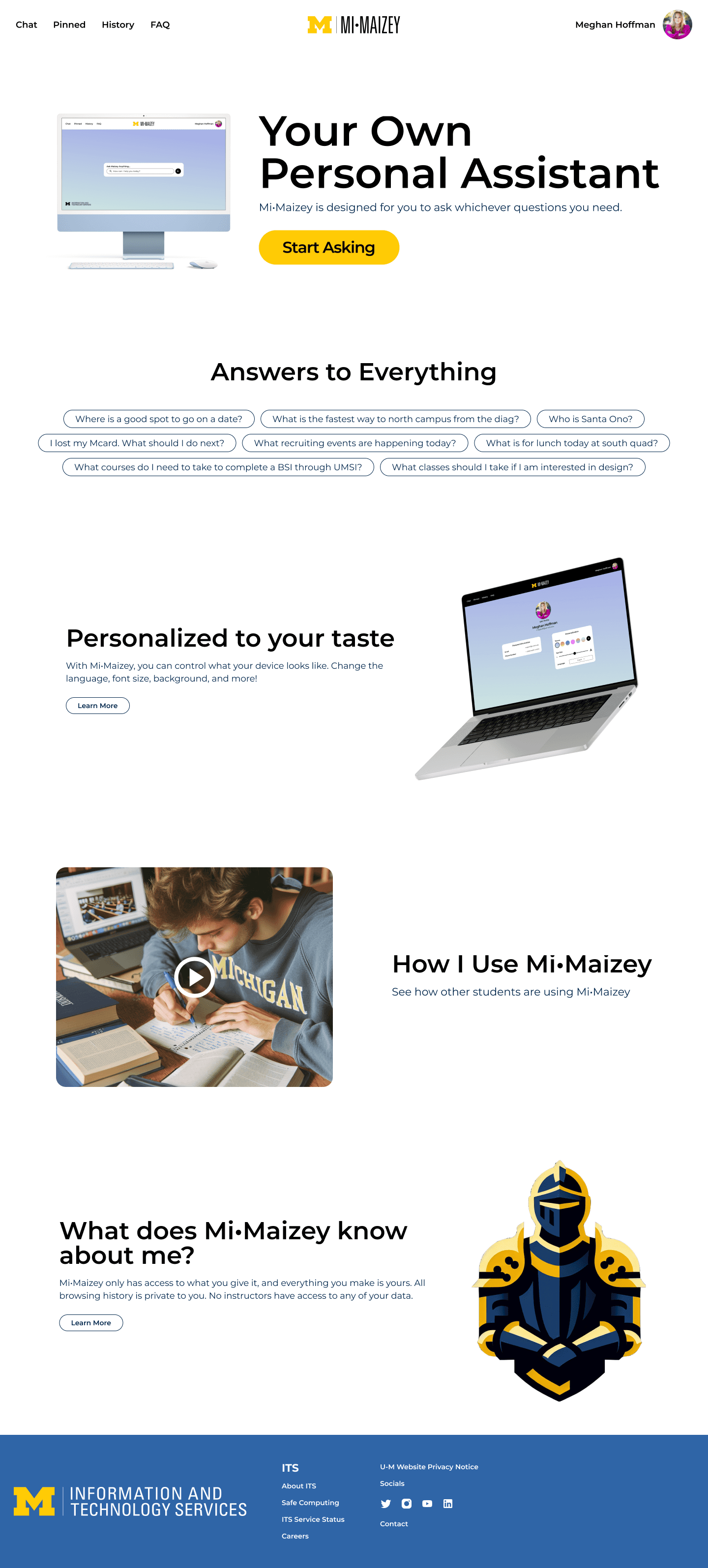
Landing Page Design
In order to make sure students were able to find Mi•Maizey and understand how to use it, the next task I took on was creating a landing page that explained how the application worked, as well as what types of prompts users could ask the system. I also wanted to include a privacy information section, to help showcase that Mi•Maizey did not keep users' personal information.
Final Designs
Finally, for this project I implemented the University of Michigan's design system components into my wireframes to fit University of Michigan guidelines. I also created dark and light views to emphasize the customization of the pages for users.
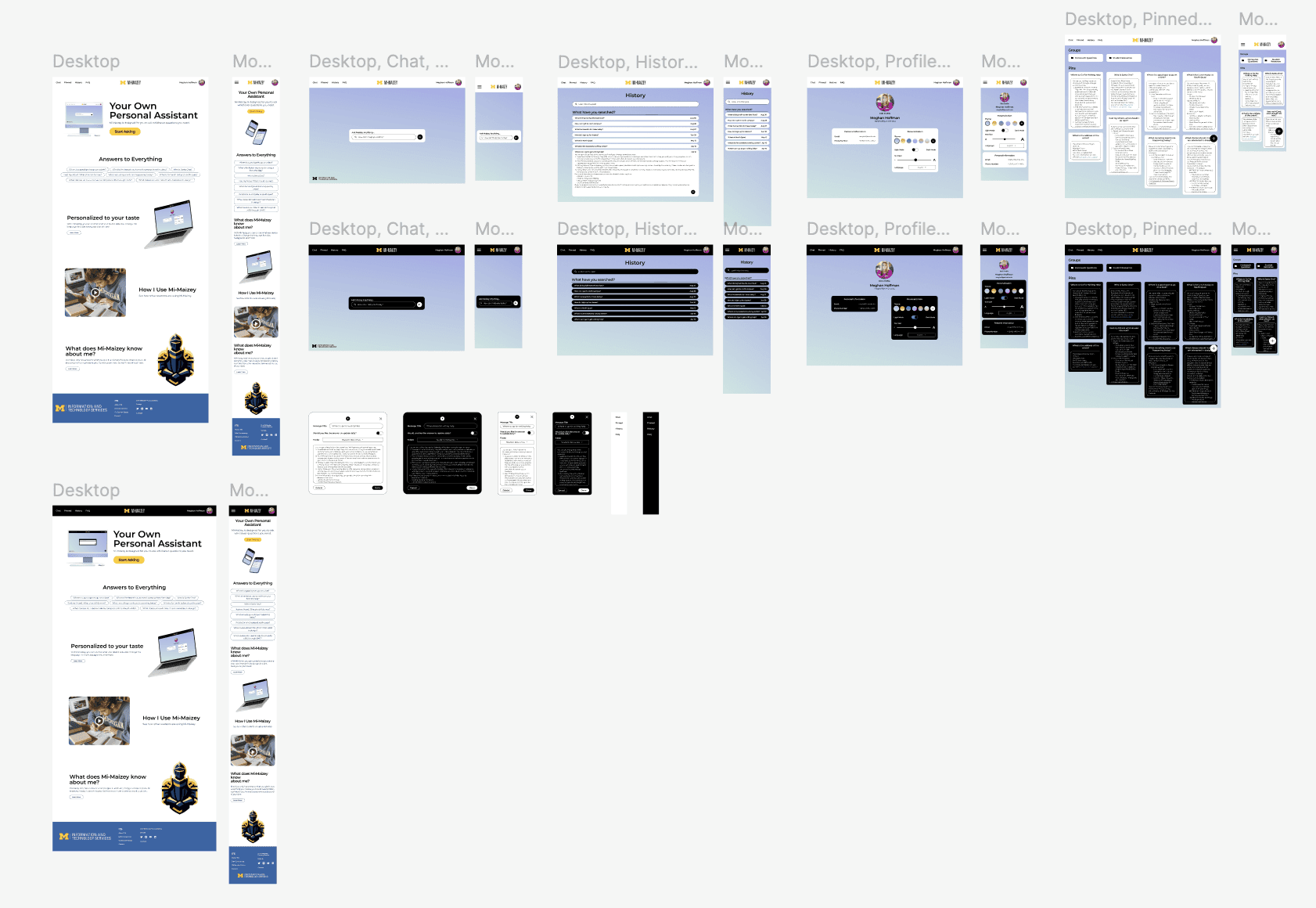
The Final Mockups